
What is Clico?
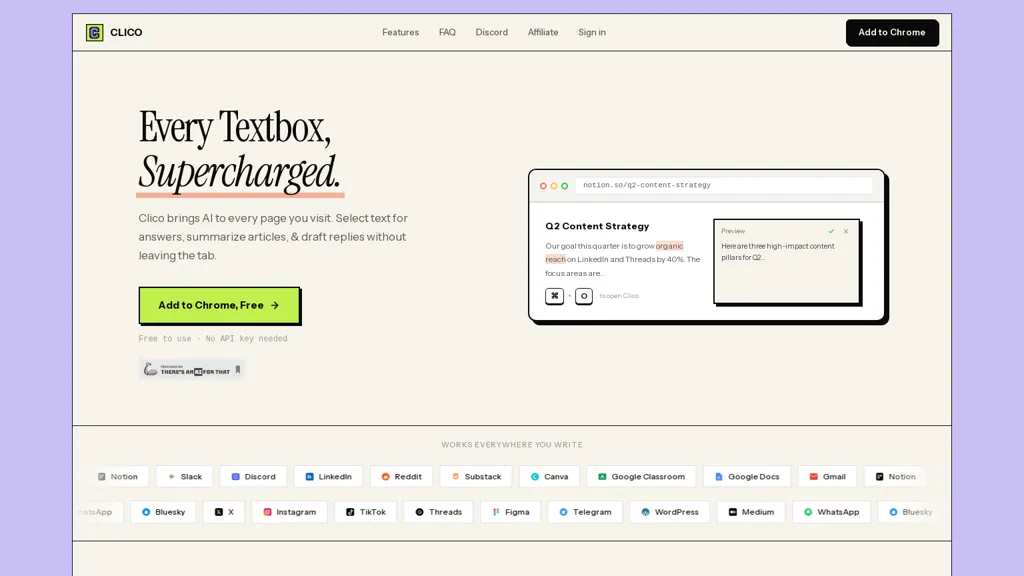
Clico AI Writing Assistant is a browser extension that injects AI directly into every text field on Chromium-based browsers (Chrome, Edge, Brave, Arc).Use ⌘+O to open an inline editor, double-press ⌘ for a page summary, highlight text for instant explanations, and hold ⌘ for voice input with real-time transcription.
The extension reads visible page context and drafts replies at the cursor for email and messaging platforms including Gmail, Google Docs, Notion, Slack, Discord, LinkedIn, Reddit, Substack, WordPress, and PDFs.
Core functions include article and PDF summarization, extraction of key points and action items, answer generation from selected text, and drafting or rewriting replies.Designed for writers, marketers, support agents, students, researchers, and community managers, it speeds content creation and keeps responses aligned with page context.
Works across websites without switching tabs, supports common shortcuts and workflows, and requires an API key for setup and use.
Clico details
- Company
- Ampliftai Inc.
- Jurisdiction
- State of Delaware, United States
- Built for
- Individuals
Clico tech specs
- Works with
- OpenAI / GPT Anthropic / Claude Perplexity
- Integrations
- Google Workspace
Clico pricing
FreeThis tool is free to use, with no credit card required.
- Refund window
- 14 days
- Auto-renewal
- Yes
Verify on the official pricing page.
Get started freeClico's key features
-
Injects AI into every text field on Chromium-based browsers (Chrome, Edge, Brave, Arc)
-
Keyboard and voice controls: ⌘+O inline editor, double-press ⌘ for page summary, highlight for instant explanations, hold ⌘ for voice input with real-time transcription
-
Reads visible page context and drafts/inserts replies at the cursor across web apps and PDFs (Gmail, Google Docs, Notion, Slack, Discord, LinkedIn, Reddit, Substack, WordPress, PDFs)
-
Core NLP functions: article/PDF summarization, extraction of key points and action items, answer generation from selected text, drafting and rewriting replies
-
Requires an API key for setup and use
Clico use cases
-
Draft concise, context-aware email and chat replies directly in any web text field using Clico's inline editor and page-aware suggestions, preserving tone, inserting relevant excerpts from the open page, and speeding up follow-ups
-
Summarize long web pages and PDFs into clear executive summaries or bullet-point key takeaways, extract facts, quotes and sources for reports, and generate SEO-friendly snippets for documentation or blog posts
-
Transcribe meetings and voice notes in-browser in real time, highlight important passages for on-the-fly explanations, and automatically convert transcripts into organized meeting minutes with action items and shareable drafts
Clico user reviews
Based on 4 reviews, 100% of users recommend Clico, rated highly for quality results.
Liked for
Would you recommend Clico?
Who is Clico for?
-
Content creators
-
Community managers
-
Digital marketers
-
Support agents
-
Learning students
Clico FAQ
Is Clico free?
Yes. Clico is free to use and does not require a credit card.
Is Clico safe to use?
Clico is operated by Ampliftai Inc., registered in State of Delaware, United States. It has a substantial audience that is independently measured month to month.
What are the best alternatives to Clico?
The closest alternatives to Clico are HyperWrite, Compose, Sider, WPS office and Content Assistant. You can compare them side by side in the alternatives section further down this page.
What does Clico do with my data?
Clico states that customer content is not used to train its models. Its privacy policy states that personal data is not sold or shared for marketing purposes. Data may be shared with third-party service providers that help run the product.
Does Clico auto-renew or offer refunds?
Clico subscriptions renew automatically until you cancel. It states a 14-day refund window.
Does Clico have an API?
Yes. Clico offers an API, so you can call it from your own applications instead of using the interface directly.
Who made Clico?
Clico is built and operated by Ampliftai Inc., a company registered in State of Delaware, United States.
Which AI models does Clico use?
Clico is built on OpenAI / GPT, Anthropic / Claude and Perplexity. Which models you can reach may depend on your plan.
What does Clico integrate with?
Clico connects with Google Workspace.
Compliance, privacy and billing terms are as stated in each product's own published documentation and have not been independently verified by TopAI.tools.


 Finnbar Kili
TBH, I liked that you said you are still a small team figuring things out. What's the pricing plan for this? It can't stay free? Looking neat btw, best of luck.
Hey Matt, Alex from Clico here. Currently we just want more ppl to test the product out and haven't think of the pricing plan yet. I think it won't be an issue until the token consumption hits hard and we'll see then. But for now everything's fine and we'll stay free.