
What is Capture.dev?
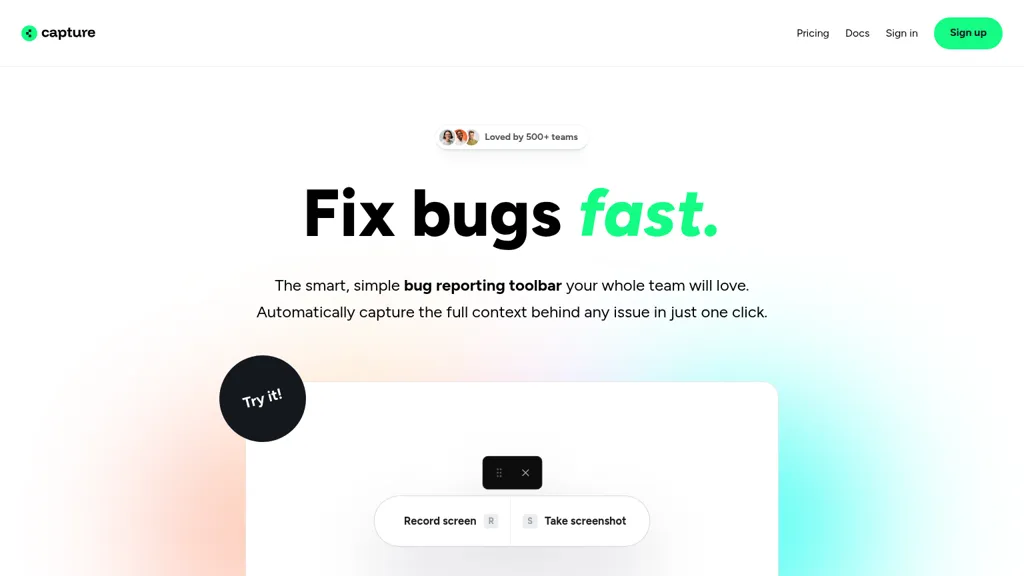
Capture.dev is a bug reporting tool designed for teams to streamline the bug-fixing process. It features an intuitive bug reporting toolbar that automatically captures the full context of an issue with a single click, enabling teams to understand problems quickly without needing extensive technical knowledge.
Users can create detailed bug reports that include screen captures, user information, console logs, and network requests, which facilitate better communication between developers and support teams. Capture.dev also integrates with popular collaboration tools like Slack, Linear, Jira, Trello, and Asana, allowing for seamless inclusion within existing workflows.
The platform generates summarized playback of issues for easy prioritization, and users can annotate directly in the browser, ensuring essential details are never overlooked. With its simple setup requiring minimal code, Capture.dev aims to enhance productivity in reporting and resolving bugs efficiently across various team structures.
Capture.dev details
- Company
- Capture Dev Ltd
- Jurisdiction
- United Kingdom
- Built for
- Businesses and teams
- Data residency
- United Kingdom
Capture.dev tech specs
- Integrations
- Zapier Slack Asana ClickUp Trello Jira
Capture.dev pricing
Free trial- Free trial
- 14 days
- Auto-renewal
- Yes
Verify on the official pricing page.
Start free trialCapture.dev's key features
-
Intuitive bug reporting toolbar
-
Automatic context capturing
-
Detailed bug report creation
-
Integration with collaboration tools
-
Summarized playback of issues
Capture.dev use cases
-
Seamlessly report bugs by capturing screen recordings and logs with a single click, providing developers with full context without needing extensive technical knowledge
-
Integrate Capture.dev with popular tools like Jira and Slack to streamline bug communication across teams, ensuring everyone stays aligned on the status of reported issues
-
Utilize the summarized playback feature to prioritize bugs efficiently during team meetings, enhancing decision-making regarding which issues to tackle first
Capture.dev user reviews
Would you recommend Capture.dev?
Who is Capture.dev for?
-
Software developers
-
Quality assurance analysts
-
Product managers
-
Project coordinators
-
Collaboration specialists
Capture.dev FAQ
Is Capture.dev free?
Not permanently. Capture.dev gives you a free trial of 14 days, after which a paid plan is required. Plans include $29 per month at $29/mo.
Is Capture.dev safe to use?
Capture.dev is operated by Capture Dev Ltd, registered in United Kingdom.
What are the best alternatives to Capture.dev?
The closest alternatives to Capture.dev are devlo. You can compare them side by side in the alternatives section further down this page.
What does Capture.dev do with my data?
Its privacy policy states that personal data is not sold or shared for marketing purposes. Data may be shared with third-party service providers that help run the product. Customer data is held in United Kingdom.
Does Capture.dev auto-renew or offer refunds?
Capture.dev subscriptions renew automatically until you cancel.
Who made Capture.dev?
Capture.dev is built and operated by Capture Dev Ltd, a company registered in United Kingdom.
What does Capture.dev integrate with?
Capture.dev connects with Zapier, Slack, Asana, ClickUp, Trello and Jira.
Compliance, privacy and billing terms are as stated in each product's own published documentation and have not been independently verified by TopAI.tools.
