
What is Build Chatbot AI?
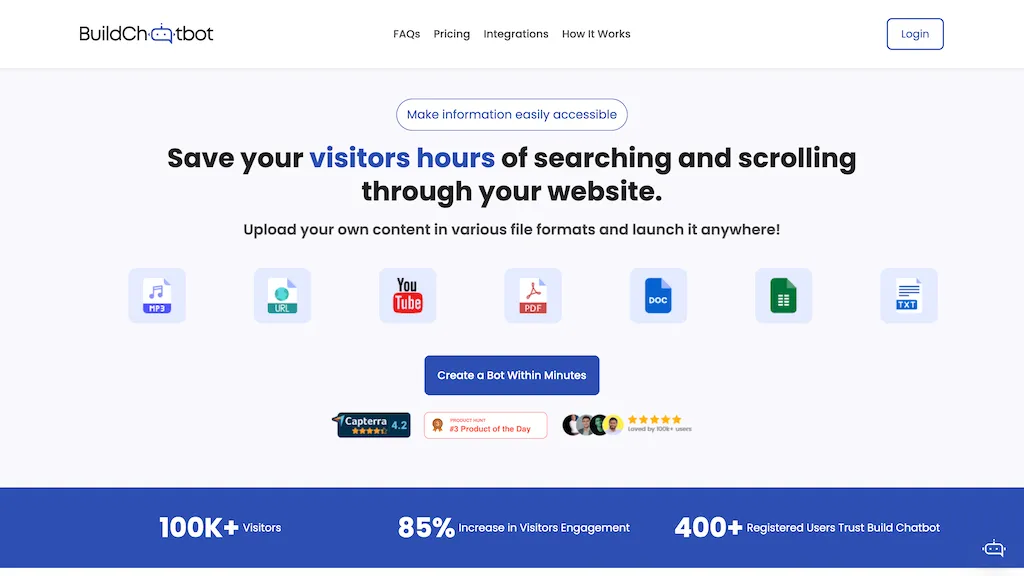
Build Chatbot is a no‑code AI chatbot builder that lets users create, train, and deploy chatbots directly on their websites and through messaging channels. It automatically ingests a wide range of file types—including PDFs, DOCX, URLs, YouTube links, audio, video, and Excel spreadsheets—to generate responses that reflect the supplied content.
The platform offers full‑page widget integration, a mobile app, Slack, and WhatsApp support for real‑time customer interaction. Users can customize branding with logos, colors, and background images to match their visual identity. Zapier integration enables automated workflows and lead capture, while administrators can review chat histories, export customer data, and manage multiple bots from a single dashboard.
Build Chatbot AI tech specs
- Integrations
- Zapier Slack WhatsApp
Build Chatbot AI pricing
SubscriptionVerify on the official pricing page.
View plansBuild Chatbot AI's key features
-
Multi-platform chat via web, mobile, Slack
-
Instant mobile notifications for new chats
-
Real-time chat updates without refresh
-
Live human support takeover
-
Download transcripts PDF or Excel
-
Embeddable full-page chat widget
-
Seamless cross-platform communication
Build Chatbot AI use cases
-
Create a customer support chatbot that pulls FAQs from your product guide PDFs and handles common queries on your website without writing any code
-
Deploy a sales lead capture bot on WhatsApp that reads your marketing brochures (PDFs, DOCX) and qualifies prospects through scripted conversation, integrating responses into Zapier to add contacts to your CRM
-
Build a knowledge base assistant for Slack that imports internal policy documents and Excel sheets, enabling team members to ask questions and receive instant answers while exporting data for analytics
Build Chatbot AI user reviews
Based on 6 reviews, 83% of users recommend Build Chatbot AI, rated highly for quality results.
Liked for
Disliked for
Would you recommend Build Chatbot AI?
Who is Build Chatbot AI for?
-
Chatbot developers
-
Digital marketers
-
Business owners
-
Customer support staff
-
Content creators
Build Chatbot AI FAQ
How much does Build Chatbot AI cost?
Build Chatbot AI is a paid product with no free plan. Plans include Essential at $19/mo, Prime at $49/mo, Powerpack at $99/mo and Enterprise at $999/mo.
What are the best alternatives to Build Chatbot AI?
The closest alternatives to Build Chatbot AI are Chatbuild ai, Chatbase, ChatbotGen, Chatterdocs and Uchat. You can compare them side by side in the alternatives section further down this page.
What does Build Chatbot AI do with my data?
Build Chatbot AI states that customer content may be used to train its models. Its privacy policy states that personal data is not sold or shared for marketing purposes. Data may be shared with third-party service providers that help run the product.
Does Build Chatbot AI have an API?
Yes. Build Chatbot AI offers an API, so you can call it from your own applications instead of using the interface directly.
Is there a mobile app for Build Chatbot AI?
Yes. Build Chatbot AI has a mobile app alongside its web version.
What does Build Chatbot AI integrate with?
Build Chatbot AI connects with Zapier, Slack and WhatsApp.
Compliance, privacy and billing terms are as stated in each product's own published documentation and have not been independently verified by TopAI.tools.


