
What is Browse.sh?
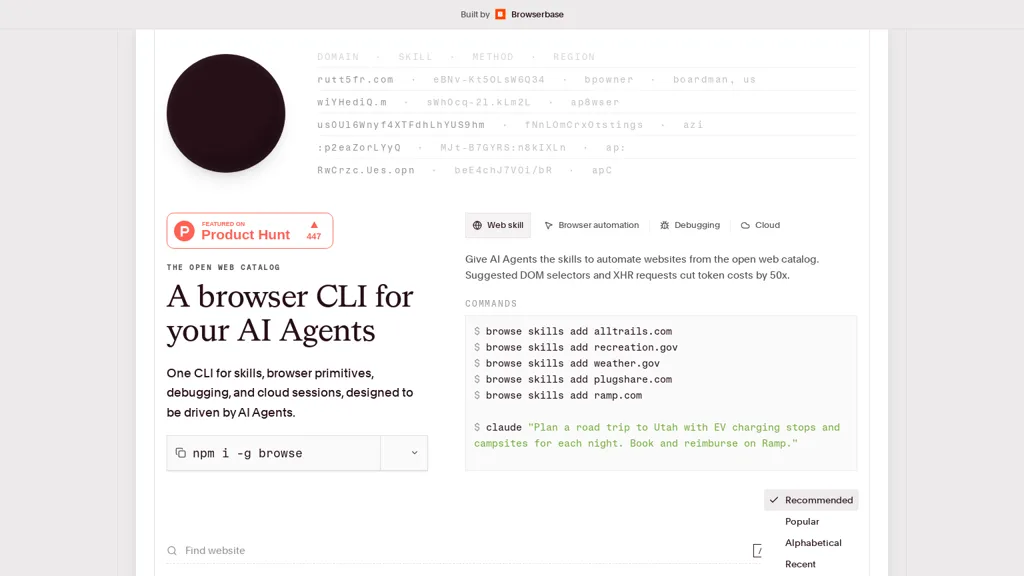
Browse.sh is a CLI browser automation and web catalog for AI agents, providing browser primitives (click, scroll, type, hover, press) and accessibility-aware selectors for building and testing web automation.
It exposes a searchable open-web catalog of site-specific skills and structured read-only APIs (AllTrails, Recreation.gov, Weather.gov, PlugShare, Ramp, Ticketmaster, FlightAware, Glassdoor, NASA APOD, Amazon, Airbnb, Craigslist, Archive.
org) for extraction and integration.Features include local and remote Chromium sessions via Browserbase, cloud fetch and search APIs, and session-level debugging with network and console tailing for real-time inspection.
Suggested DOM selectors and XHR usage reduce token and processing costs, aiding efficient agent design and data extraction.Use cases include AI agent developers, automation engineers, QA/debugging workflows, data analysts, and tooling for web scraping, booking and listing search, flight tracking, and content retrieval.
Outputs support structured JSON, SSR/GraphQL extraction, and element-addressable selectors to simplify integration into pipelines and agent-driven automation.
Browse.sh tech specs
- Works with
- OpenAI / GPT Anthropic / Claude Meta
- AI infrastructure
- Hugging Face
- Cloud
- AWS Google Cloud Azure Cloudflare Supabase
- Payment Processors
- Stripe Gumroad
- Analytics
- Amplitude
- Integrations
- Slack Notion Shopify WordPress GitHub WhatsApp
Browse.sh pricing
FreemiumBrowse.sh offers a free plan with paid upgrades available.
Verify on the official pricing page.
View plansBrowse.sh's key features
-
CLI browser automation with primitives (click, scroll, type, hover, press) and accessibility-aware selectors
-
Searchable open-web catalog of site-specific skills and structured read-only APIs (AllTrails, Recreation.gov, Weather.gov, PlugShare, Ramp, Ticketmaster, FlightAware, Glassdoor, NASA APOD, Amazon, Airbnb, Craigslist, Archive.org)
-
Local and remote Chromium sessions via Browserbase
-
Cloud fetch and search APIs
-
Session-level debugging with network and console tailing for real-time inspection
Browse.sh use cases
-
Automate recurring, reliable extraction of structured product, pricing, and catalog data across multiple websites using browse.sh's CLI browser automation and accessibility-aware selectors, producing clean read-only APIs optimized for agent-driven extraction and backend integration
-
Build and maintain site-specific interaction skills for customer support and agent workflows by recording clicks, form entries, and hovers in browse.sh's searchable skill catalog, using session-level debugging to reproduce and harden flows for accessible, repeatable automations
-
Run accessibility-aware end-to-end testing and live monitoring of web apps by scripting interactions (click, scroll, type, press) with browse.sh, leveraging session debugging to reproduce defects and outputting structured reports that feed directly into CI pipelines and developer workflows
Browse.sh user reviews
Based on 2 reviews, 100% of users recommend Browse.sh, rated highly for ease of use.
Liked for
Would you recommend Browse.sh?
Who is Browse.sh for?
-
Automation engineers
-
Web scraping engineers
-
Integration engineers
-
Site-specific skill developers
-
Product engineers
Browse.sh FAQ
Is Browse.sh free?
Partly. Browse.sh has a free plan with usage limits, and paid plans unlock the full feature set.
Does Browse.sh have an API?
Yes. Browse.sh offers an API, so you can call it from your own applications instead of using the interface directly.
Which AI models does Browse.sh use?
Browse.sh is built on OpenAI / GPT, Anthropic / Claude and Meta. Which models you can reach may depend on your plan.
What does Browse.sh integrate with?
Browse.sh connects with Slack, Notion, Shopify, WordPress, GitHub and WhatsApp.