
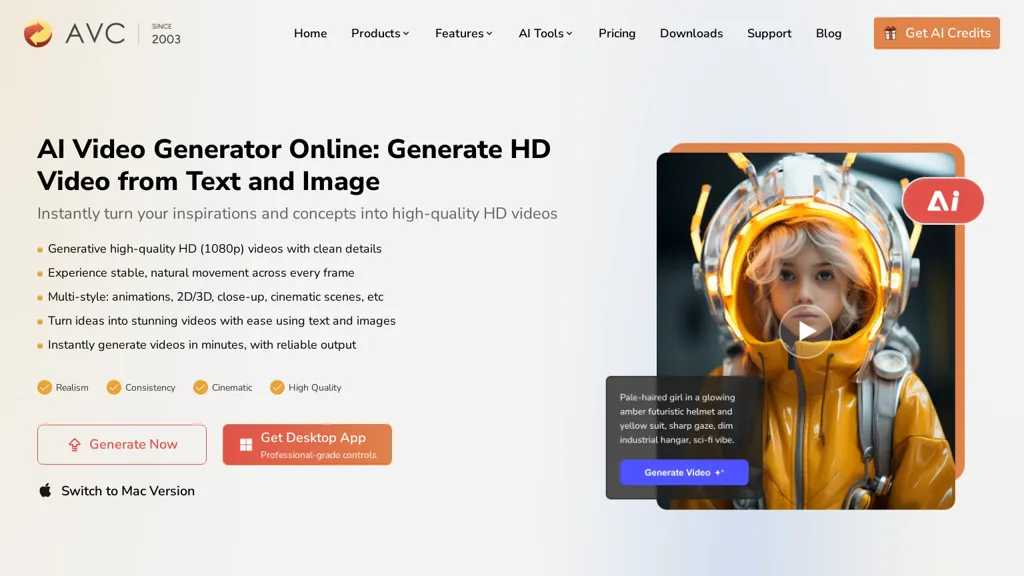
What is AVC AI Video Generator?
Converts text and images into HD video using AI-driven rendering and multi-style templates. It supports text-to-video and image-to-video workflows, combining prompts and reference images to produce short, polished clips.
The tool offers configurable visual styles (2D, 3D, animation, cinematic) and controls to define camera movement, framing, and aesthetic consistency. Motion consistency and frame-to-frame fidelity reduce flicker and warping for smoother playback.
Built-in avatar generation includes lip-sync and customizable voice options for synchronized speech. Generation is optimized for quick output so short clips can be produced and exported within minutes for use in larger projects.
AVC AI Video Generator details
- Jurisdiction
- People's Republic of China
- Built for
- Individuals
AVC AI Video Generator tech specs
- Works with
- OpenAI / GPT OpenAI / Sora Google / Veo Runway Kling ByteDance / Seedance
- Payment Processors
- PayPal
- Integrations
AVC AI Video Generator pricing
Paid- Refund window
- 5 days
- Auto-renewal
- Yes
Verify on the official pricing page.
View plansAVC AI Video Generator's key features
-
Powered by Seedance 2.0 AI video model
-
Generate videos from natural language text prompts
-
Animate still images into dynamic video scenes
-
Control cinematic camera movement and scene motion
-
Synchronize narration, dialogue, sound effects, and visuals
-
Create smoother transitions with consistent motion
-
Use images, video, and audio as references
-
High-quality video generation and customizable video aspect ratio
AVC AI Video Generator use cases
-
Create social media and marketing videos from text prompts, product images, or reference clips. Turn ideas into polished promotional content for ads, campaigns, product launches, and short-form platforms without complex video production workflows.
-
Animate product photos, artwork, or still images into dynamic videos with camera movement, realistic motion, and smooth transitions. Ideal for e-commerce showcases, fashion content, visual storytelling, and creative social posts.
-
Produce cinematic concept videos, music visuals, and narrative scenes using text, image, video, and audio references. Synchronize dialogue, narration, sound effects, and visuals while maintaining consistent characters and motion across scenes.
AVC AI Video Generator user reviews
Would you recommend AVC AI Video Generator?
Who is AVC AI Video Generator for?
-
Social media influencers and vloggers
-
Content creators and youtubers
-
Marketing and advertising professionals
-
Creative and digital agencies
-
Small business owners and startups
-
Indie filmmakers and videographers
-
Motion designers and animators
-
E-learning creators and educators
-
Game developers and trailer creators
-
Product marketers and ux designers
AVC AI Video Generator FAQ
How much does AVC AI Video Generator cost?
AVC AI Video Generator is a paid product with no free plan. Plans include Any video converter pro at $19.95/mo and Any video converter ultimate at $29.95/mo.
What are the best alternatives to AVC AI Video Generator?
The closest alternatives to AVC AI Video Generator are Clipfly AI Video Generator, Video Generator - A2E.ai , Image-to-Video Maker, HeyGen and VideoMaker.me. You can compare them side by side in the alternatives section further down this page.
What does AVC AI Video Generator do with my data?
Its privacy policy states that personal data is not sold or shared for marketing purposes. Data may be shared with third-party service providers that help run the product.
Does AVC AI Video Generator auto-renew or offer refunds?
AVC AI Video Generator subscriptions renew automatically until you cancel. It states a 5-day refund window.
Which AI models does AVC AI Video Generator use?
AVC AI Video Generator is built on OpenAI / GPT, OpenAI / Sora, Google / Veo, Runway, Kling and ByteDance / Seedance. Which models you can reach may depend on your plan.
What does AVC AI Video Generator integrate with?
AVC AI Video Generator connects with WhatsApp.
Compliance, privacy and billing terms are as stated in each product's own published documentation and have not been independently verified by TopAI.tools.


