
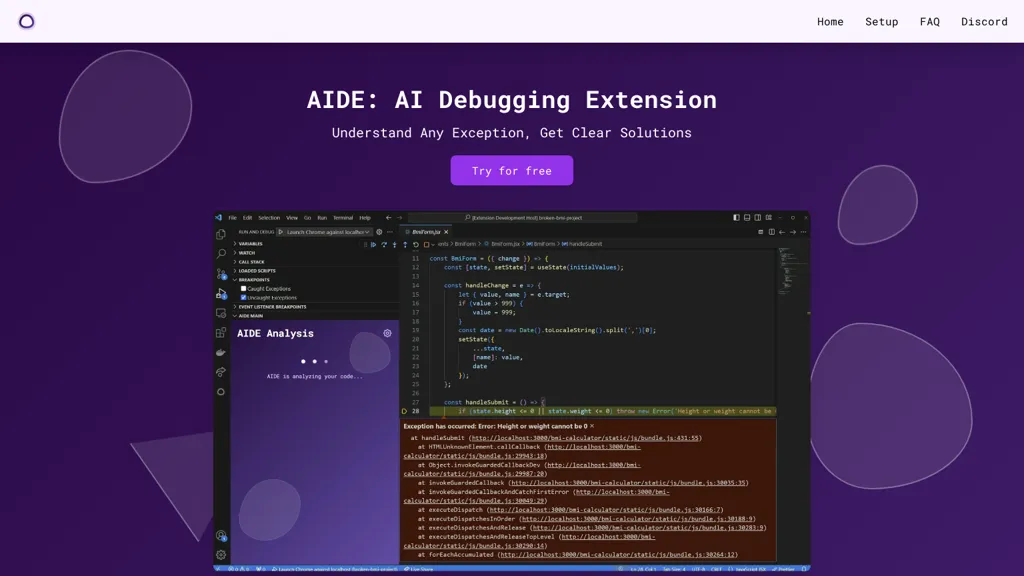
What is AIDE?
AIDE is an AI debugging extension specifically designed for Visual Studio Code users.By installing AIDE, users can easily understand exceptions in their code and receive clear and detailed solutions.The tool supports popular programming languages like TypeScript and JavaScript, making it a versatile choice for developers.
AIDE can be set up quickly by configuring preferred settings and starting a debug session as usual.When an exception occurs, AIDE automatically activates to provide analysis and solutions, including real-world examples for common scenarios like async/await errors and type errors.
Additionally, AIDE offers a free version with limited features, requires no API key for use, and provides an active Discord community for support and collaboration.Elevate your debugging experience with AIDE's AI-powered capabilities today.
AIDE user reviews
Based on 1 review, 100.0% of users recommend AIDE, rated highly for quality results.
Liked for
Would you recommend AIDE?
AIDE's key features
-
AI debugging extension for Visual Studio Code
-
Support for popular programming languages like TypeScript and JavaScript
-
Automatic activation upon exception occurrence
-
Detailed solutions with real-world examples
-
Free version available with limited features
AIDE use cases
-
Quickly identify and resolve async/await errors in TypeScript code by leveraging AIDE's AI debugging capabilities, saving time and improving code efficiency
-
Utilize AIDE to receive detailed explanations and solutions for type errors in JavaScript, enabling faster debugging and enhancing code quality
-
Enhance the debugging process for Visual Studio Code users by installing AIDE and accessing real-world examples for common coding exceptions, leading to more efficient development workflows
Who is it for?
-
Software developers
-
Debugging specialists
-
Typescript programmers
-
Javascript developers