
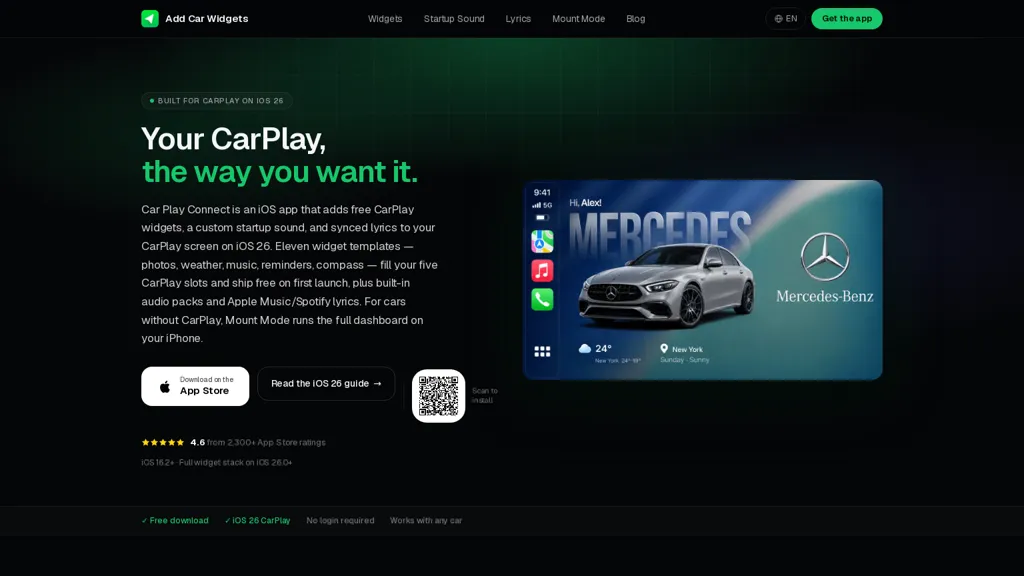
What is Add Car Widgets?
Add Car Widgets delivers Dynamic Lyrics and CarPlay widgets that display time-synced, karaoke-style lyrics on the CarPlay right pane and on the iPhone lock screen.
It reads time-coded lyric data from Apple Music and Spotify (mirroring Spotify’s Now Playing data) and highlights the active line in real time.
Live Activities support enables real-time lyric mirroring to CarPlay; tracks without time codes fall back to static lyrics.
Display options include adjustable font size, line spacing, accent color, light/dark themes, and selectable lyric-window size.
Additional features include CarPlay widget templates, custom startup sounds, and a Mount Mode dashboard for vehicles without native CarPlay.
Lyrics are processed locally and not retained after display, and the app supports current iOS widget capabilities (with full CarPlay widget mirroring on recent iOS releases).
Add Car Widgets details
- Jurisdiction
- United States
- Built for
- Individuals
Add Car Widgets pricing
FreeThis tool is free to use, with no credit card required.
Verify on the official pricing page.
Get started freeAdd Car Widgets's key features
-
Time‑synced karaoke-style lyric display on CarPlay right pane and iPhone lock screen
-
Reads time-coded lyric data from Apple Music and Spotify (mirrors Spotify Now Playing) and highlights the active line in real time
-
Live Activities support for real-time lyric mirroring to CarPlay with fallback to static lyrics for tracks without time codes
-
Customizable display options: adjustable font size, line spacing, accent color, light/dark themes, and selectable lyric-window size
-
CarPlay widget templates, custom startup sounds, Mount Mode dashboard for non-native CarPlay vehicles; local on-device lyric processing with no retention; supports current iOS widget capabilities including full CarPlay widget mirroring
Add Car Widgets use cases
-
Sing along on the road using Car Play Connect to display time-synced karaoke-style lyrics on CarPlay and the iPhone lock screen, highlighting the active line live and customizing fonts, themes and widget sizes for easy reading while driving
-
Enhance safety and privacy in the car by using the in-car lyrics widget and vehicle dashboard mode to mirror real-time lyrics locally (no cloud processing), with adjustable display settings to reduce distraction and keep eyes on the road
-
Host family karaoke nights or language-learning practice by syncing Apple Music or Spotify time-coded data to show live lock-screen lyrics and mirrored CarPlay captions, tailoring font sizes and themes for each participant and saving lyrics locally for offline practice
Add Car Widgets user reviews
Would you recommend Add Car Widgets?
Who is Add Car Widgets for?
-
Carplay users who listen to music
-
Iphone users of apple music or spotify
-
Drivers who want time‑synced, karaoke‑style lyrics
-
Passengers and karaoke fans who sing along
-
Commuters and road‑trippers who want synced lyrics on the go
-
Owners of vehicles without native carplay (using mount mode)
-
Users who value customization and accessibility (adjustable fonts, spacing, themes)
-
Privacy‑conscious listeners who prefer local lyric processing
Add Car Widgets FAQ
Is Add Car Widgets free?
Yes. Add Car Widgets is free to use and does not require a credit card.
What does Add Car Widgets do with my data?
Add Car Widgets states that customer content is not used to train its models. Its privacy policy states that personal data is not sold or shared for marketing purposes. Data may be shared with third-party service providers that help run the product.
Is there a mobile app for Add Car Widgets?
Yes. Add Car Widgets has a mobile app alongside its web version.
Compliance, privacy and billing terms are as stated in each product's own published documentation and have not been independently verified by TopAI.tools.