


Differences between Opus Clip and Riverside
Opus Clip Description
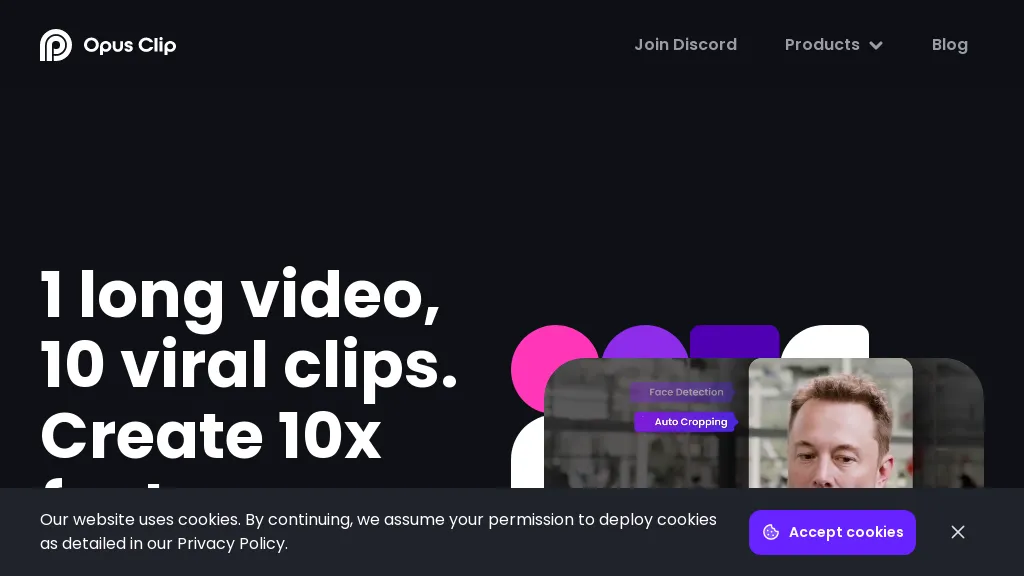
OpusClip is an AI-powered video tool that transforms long videos into shareable short clips with one click. It uses AI to identify compelling moments, generate captions, and optimize for social media.
Opus Clip Features
- AI Curation: OpusClip's AI identifies the most engaging moments from your video and rearranges them into compelling short clips
- Auto Reframing: The AI adjusts clips for different aspect ratios (1:1, 16:9, 9:16) optimized for various social media platforms
- Animated Captions: Automatically add animated captions with high accuracy and customizable templates
- AI B-roll: Incorporate contextually relevant B-roll footage, either royalty-free stock or AI-generated visuals
- Brand Templates: Create custom templates with your brand's colors, fonts, and logo
- Social Posting: Schedule and auto-post your clips to YouTube, TikTok, Instagram, LinkedIn, and X
- Virality Score: An AI-generated score estimates the potential virality of each short clip
- Collaboration: Team accounts allow for streamlined workflows and content management.
Riverside Description
Riverside is a comprehensive platform for recording high-quality video and audio, with AI-powered editing and live streaming tools. It centralizes hosting, publishing, and analytics for podcasts and videos, supporting remote collaboration and content repurposing.
Riverside Features
- Local 4K video and multitrack audio recording via browser and native mac and mobile apps
- AI-powered editing and text-based video editor for clip creation, captions, transcription, and automated show notes
- Live streaming with Full HD livestream support
- Podcast hosting, publishing tools, and analytics
- Asynchronous recording and AI co-creator features
User Satisfaction & Ratings
Opus Clip Feedback
66.7%
of 3 users recommend
Output Quality
100.0%
Fair Pricing
66.7%
Ease of Use
66.7%
Feature Set
66.7%
Integrations
66.7%
Riverside Feedback
100.0%
of 5 users recommend
Output Quality
80.0%
Fair Pricing
80.0%
Ease of Use
60.0%
Feature Set
40.0%
Integrations
40.0%
Pricing Breakdown
Opus Clip Pricing
Pricing model: Freemium
Starting at: $15/mo
Available Plans:
Free: $0
Starter: $15/mo
Pro: $29/mo or $174 billed annually
Riverside Pricing
Pricing model: Freemium
Starting at: $24/mo
Available Plans:
Free: €0/mo
Pro: €29/mo (€24/mo billed annually)
Live: €39/mo (€34/mo billed annually)
Webinar: €99/mo (€79/mo billed annually)
Business: custom
Platform Availability & Capabilities
Opus Clip Capabilities
Best for
extract:video>video create:video>video optimize:video>video generate:video>text automate:video>automationRiverside Capabilities
Best for:
extract:video>audio transcribe:video>text edit:video>video transcribe:audio>text convert:audio>video edit:audio>audioWho Should Use Each?
Opus Clip Users
Content Creators
Marketing Professionals
Video Editors
Digital Marketers
Social Media Managers
Riverside Users
Podcast Creators
Video Creators
Live Streamers
Video Producers
Content Marketers
Screenshots & Media
Opus Clip
Riverside
Pros & Cons
Opus Clip
Riverside
Integrations
Opus Clip
Riverside
Looking for AI tools? Try searching!