
Bolt.new vs Gemini CLI Comparison
What is the difference between Bolt.new and Gemini CLI? Compare Bolt.new and Gemini CLI in details side by side to make a choice.


Differences between Bolt.new and Gemini CLI
Bolt.new Description
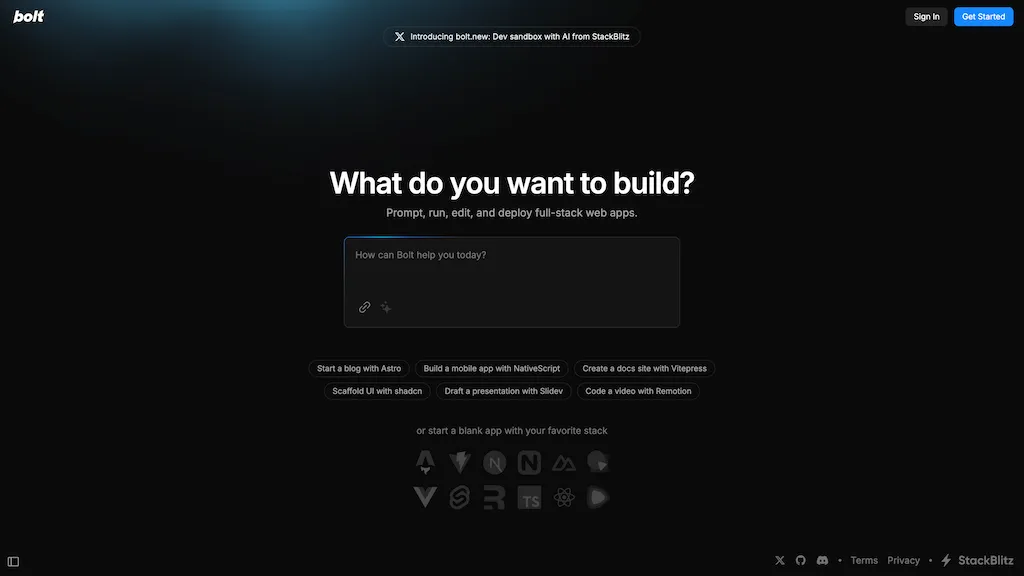
Bolt.new is an AI-powered development agent that allows users to build, edit, run, and deploy full-stack applications directly from their browser without local setup. It provides complete control over the development environment, making web development seamless and AI-driven.
Bolt.new Features
- AI-powered full-stack development in the browser
- In-browser environment with WebContainers
- NPM tool and library integration (e.g., Vite, Next.js)
- Node.js server management
- Third-party API interaction
- Direct deployment to production
- Full environment control for AI agents (filesystem, terminal, package manager)
- Real-time sharing via URL
Gemini CLI Description
Gemini CLI is a terminal-based AI agent that leverages Gemini's multimodal capabilities to automate coding tasks, manage codebases, and streamline GitHub operations. It enables developers to generate content, handle version control, and boost productivity through high-level tool integrations.
Gemini CLI Features
- Open-source AI agent
- Querying and managing large codebases
- Automating operational tasks
- Multimodal content generation
- High-level interactions with GitHub repositories
User Satisfaction & Ratings
Bolt.new Feedback
Gemini CLI Feedback
Pricing Breakdown
Bolt.new Pricing
Pricing model: Freemium
Starting at: Contact for pricing
Gemini CLI Pricing
Pricing model: Free
Starting at: Contact for pricing
Platform Availability & Capabilities
Bolt.new Capabilities
Best for
write:text>code generate:text>code edit:code>code rewrite:code>code summarize:code>text convert:code>textGemini CLI Capabilities
Best for:
chat:text>text code:text>code write:text>document generate:text>image generate:text>voice summarize:code>text rewrite:code>code write:code>document generate:code>image summarize:code>voice extract:url>text extract:url>code extract:url>document extract:url>image extract:url>voice summarize:document>text extract:document>code write:document>image summarize:document>voice summarize:spreadsheet>text generate:spreadsheet>code write:spreadsheet>document generate:spreadsheet>image summarize:spreadsheet>voiceWho Should Use Each?
Bolt.new Users
Gemini CLI Users
Screenshots & Media
Bolt.new
Gemini CLI
